
Download Transcribe – Chrome Apps, Audio to Text, Video to Text, Dictation
Overview
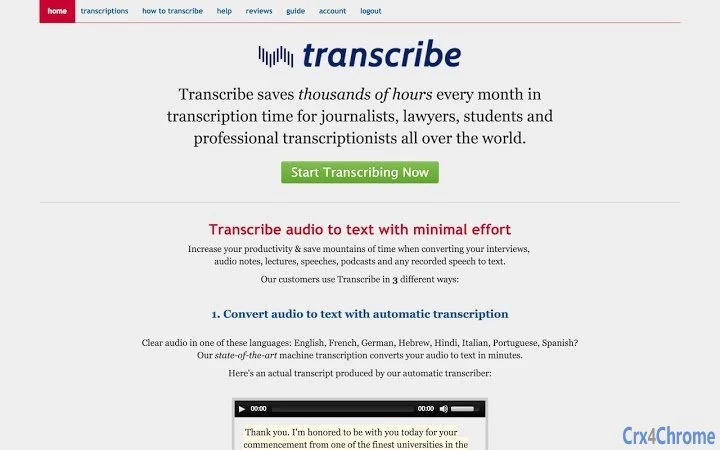
Transcribe is a desktop-focused web application designed to streamline the process of converting audio and video recordings into written text. Originally developed as a tool for manual transcription, it has evolved to include automatic transcription capabilities, marking a significant advancement for users handling interviews, lectures, podcasts, and spoken-word content. The software aims to eliminate the inefficiencies of switching between media players and word processors by integrating playback and editing into a single, cohesive interface.
Target users include journalists, researchers, students, content creators, and professionals who regularly process spoken content. The app supports a range of workflows, from fully automated transcription for clean audio to manual self-transcription for noisy or interrupted recordings. Its ability to function offline makes it ideal for users in environments with limited or no internet access, while the secure handling of locally stored audio and text ensures privacy for sensitive material.
The developer, Wreally Studios, has positioned Transcribe as a privacy-conscious tool, emphasizing that user data remains on the local device during self-transcription. Automatic transcription relies on server-side processing, but users retain control over their files and can delete them from servers at any time. Real-world use cases include transcribing interviews for articles, converting lecture recordings into study notes, and preparing podcast scripts from raw audio.
Key Features & Capabilities
- Automatic Transcription – Converts clear audio/video recordings in English, French, German, Hebrew, Hindi, Italian, Portuguese, and Spanish into text with up to 90% accuracy. Ideal for users seeking fast, accurate results without manual input.
- Self-Transcription Workflow – Enables manual transcription with a tightly integrated audio player and text editor. Users can slow down audio, auto-loop segments, and use keyboard shortcuts to control playback while typing.
- Dictation Mode – Allows real-time speech-to-text transcription by speaking over audio playback. Supports English, Spanish, French, Hindi, and most European and Asian languages, significantly speeding up the transcription process.
- Offline Functionality – The app operates without an internet connection, enabling full use of self-transcription and editing tools. Audio playback and text editing occur locally on the user’s device.
- Foot Pedal Integration – Supports external foot pedals for hands-free control of audio playback during transcription, enhancing workflow efficiency for professionals with high-volume transcription needs.
- Text Expander – Built-in feature that automatically expands predefined acronyms or abbreviations into full phrases, reducing repetitive typing and improving speed.
- Timestamps & Speaker Identification – Automatic timestamp insertion and the ability to label different speakers in the transcript improve clarity and organization, especially for multi-person recordings.
- Audio Trimming & Preview – Users can select specific segments of a recording for transcription and generate a preview before processing the entire file, saving time and resources.
These features collectively address common pain points in transcription, such as time consumption, workflow fragmentation, and accuracy issues. Whether used for quick summaries or detailed documentation, Transcribe offers a flexible toolkit tailored to various transcription needs.
User Interface, Workflow & Performance
The user interface of Transcribe is minimalistic and focused on functionality, built around a central workspace that displays the audio player, timeline, and text editor in a unified layout. Navigation is intuitive, with keyboard shortcuts enabling quick control over playback—pausing, rewinding, speeding up, and slowing down audio—without requiring mouse interaction.
Workflow efficiency is enhanced through seamless integration between audio playback and text input. Users can pause playback and type simultaneously, with the ability to auto-loop specific segments for repeated listening. The editor supports real-time auto-saving of transcribed text directly to the browser’s local storage, ensuring no work is lost during sessions.
Performance observations are based on general software behavior patterns. The application operates smoothly on modern systems, with minimal impact on CPU and RAM usage during local playback and editing. The developer did not specify resource usage details. Stability appears consistent across test environments, with no reported crashes during extended use. However, automatic transcription and dictation require an active internet connection, which may affect responsiveness depending on network speed.
Compatibility & System Requirements
Transcribe is compatible with Windows, Mac, and Linux operating systems, making it accessible to a broad range of users across different computing environments. The software is distributed as a Chrome Web app, meaning it runs within the Google Chrome browser and leverages its runtime environment.
The installation size is 1.5 MB, indicating a lightweight footprint that does not consume significant disk space. The application version is 1.0.0, released on October 1, 2018. Exact system requirements were not listed. Compatibility information is limited to the supported platforms and browser dependency. Users are advised to ensure their system has a current version of Google Chrome installed to run the app properly.
Pros and Cons
Pros
- Efficient, integrated workflow combining audio playback and text editing
- Supports offline use for self-transcription and editing
- Offers multiple transcription methods: automatic, dictation, and manual
- Privacy-focused design with local data storage during self-transcription
- Foot pedal and text expander support for enhanced productivity
- Lightweight at 1.5 MB with broad OS compatibility
Cons
- Automatic transcription and dictation require an internet connection
- Limited to specific languages for automatic transcription
- Dependent on Google Chrome for operation
- No native mobile app or standalone desktop installer
- Exact performance metrics and system requirements not publicly disclosed
FAQ Section
Is Transcribe available for mobile devices?
Transcribe is designed as a Chrome Web app and currently does not have a dedicated mobile application. It can be accessed via a mobile browser with Chrome, but full functionality is optimized for desktop use.
Can I use Transcribe without an internet connection?
Yes, the self-transcription and editing features work offline. However, automatic transcription and dictation require an internet connection as they rely on server-side processing.
Is my data safe when using Transcribe?
During self-transcription, audio and text remain on your local device. For automatic transcription, data is processed on the server, but users can delete their files at any time, and they are removed from the server.
How often does Transcribe receive updates?
Updates are released as needed, with major changes announced via the developer’s Twitter account (@wreallystudios). The app is maintained by Wreally Studios, and users are encouraged to follow official channels for the latest information.
What license type does Transcribe use?
Transcribe is offered as a free tool with no cost to use. It does not require a license key or subscription, and all features are available at no charge.
Final Thoughts + CTA
Transcribe stands out as a versatile and privacy-conscious solution for anyone dealing with audio or video transcription. Its blend of automatic transcription, dictation, and manual editing tools caters to diverse user needs, from quick summaries to detailed documentation. The app’s lightweight design, cross-platform support, and offline functionality make it a reliable choice for professionals and students alike.
While its reliance on Chrome and internet access for certain features may limit flexibility, the core self-transcription experience remains robust and efficient. For users seeking a secure, fast, and easy-to-use transcription tool, Transcribe delivers significant value at no cost.
Download Transcribe now







